Data Hub exists to fix this

HubSpot Data Hub (formerly Operations Hub) connects, cleans, and activates data across your stack—so your CRM becomes reliable for every team: marketing, sales, service, and ops.

Data Hub is what makes HubSpot's Smart CRM feel like a real operating system: clean records, consistent properties, synced systems, automations that behave, and reporting you can defend.

Our approach is simple: fix the foundation first—then let automation and AI compound the results.

What Data Hub helps you achieve

Create one source of truth

Connect your apps and data sources. Unify fields and values so records are consistent. Make insights usable across every hub—not trapped in a silo.

Keep your CRM clean automatically

Spot duplicates and inconsistencies before they become problems. Enforce formatting and validation rules. Build "self-healing" data habits that reduce admin over time.

Make automation and AI actually work

Run workflows with confidence because inputs are reliable. Enrich and standardize records at scale. Power smarter segmentation, reporting, and decision-making.

The upgrade moment: when "HubSpot works" but your data doesn't

Free and Starter are fine when your data lives mostly inside HubSpot and the process is simple. You start feeling the need for Data Hub when:

  • You have multiple systems (billing, product, support, warehouse, spreadsheets)
  • Fields don't match across tools
  • Duplicates and formatting issues keep coming back
  • You want automation, but you don't trust the triggers
  • Reporting breaks every time your process changes

In other words: when growth makes the "data glue work" unavoidable.

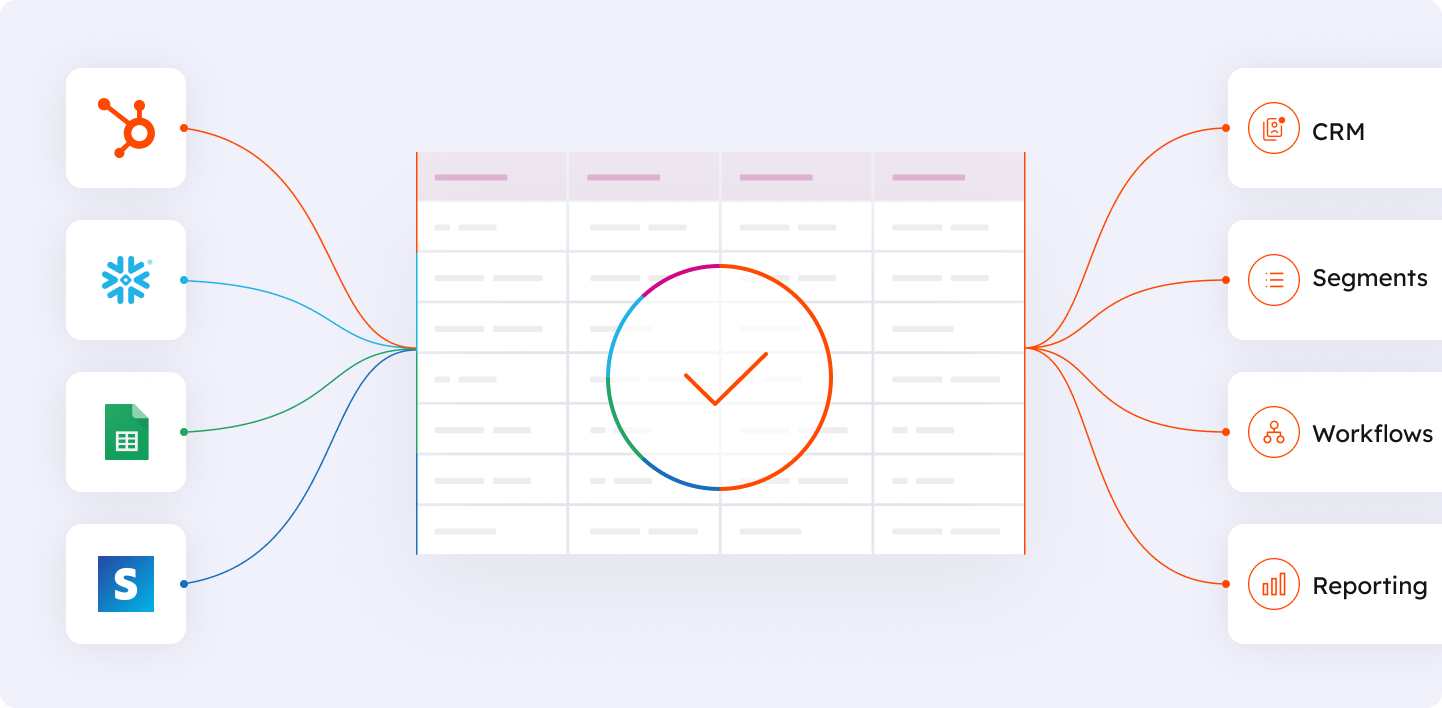
DataStudio Image showing external data on the left, being merged with HubSpot data on the right. This results in a combined table in the middle

Professional+

Data Studio: unify datasets without becoming a data engineer

Data Hub's big leap forward is Data Studio—a spreadsheet-style experience for building unified datasets from different sources, with AI assistance.

The value isn't "more data." It's usable data:

  • Connect directly to sources like spreadsheets and data warehouses
  • Combine first- and third-party data into a curated dataset
  • Activate that dataset across HubSpot (lists, workflows, reporting)

If your team is living in exports, imports, and "can you pull a report for me?", Data Studio is usually the unlock.
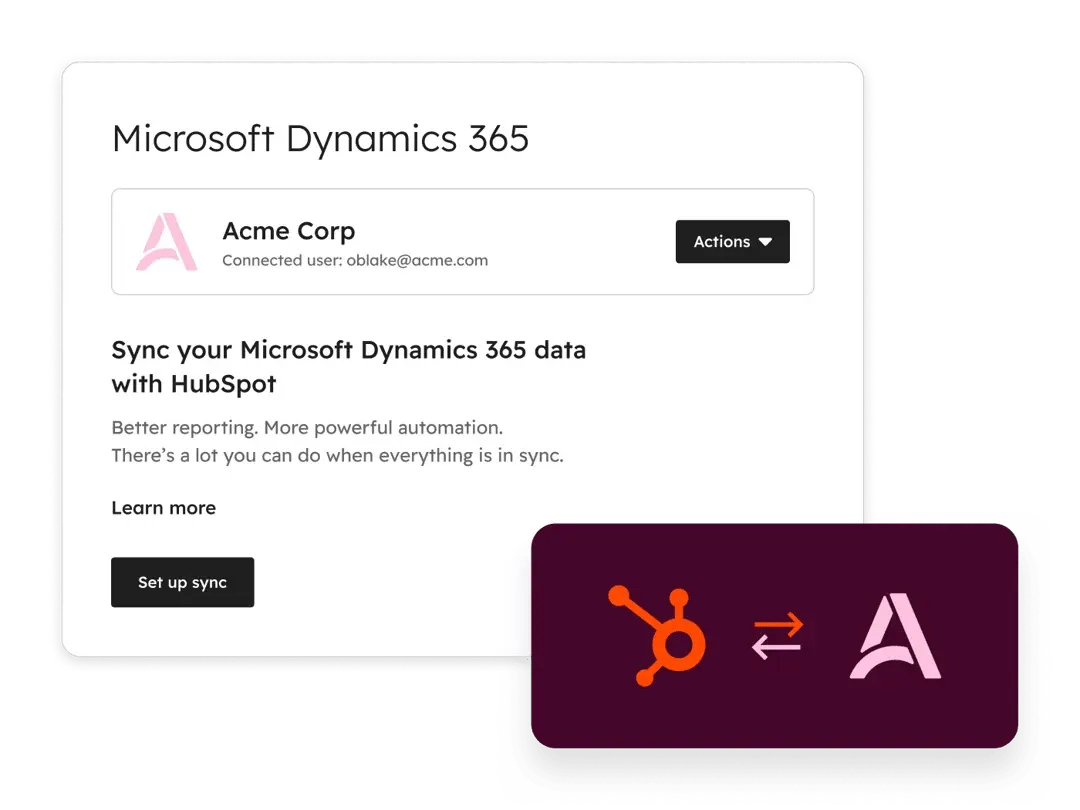
Data Sync

All Tiers

Data Sync: connect your stack and stop manual updates

The easiest data problems to fix are the ones you stop creating.

Data Hub helps you sync your stack so data stays current:

  • Bidirectional syncing where it makes sense
  • Controlled mappings so values stay consistent
  • Fewer manual updates that create human error

The outcome: less "CRM hygiene work" and more reliable automation.

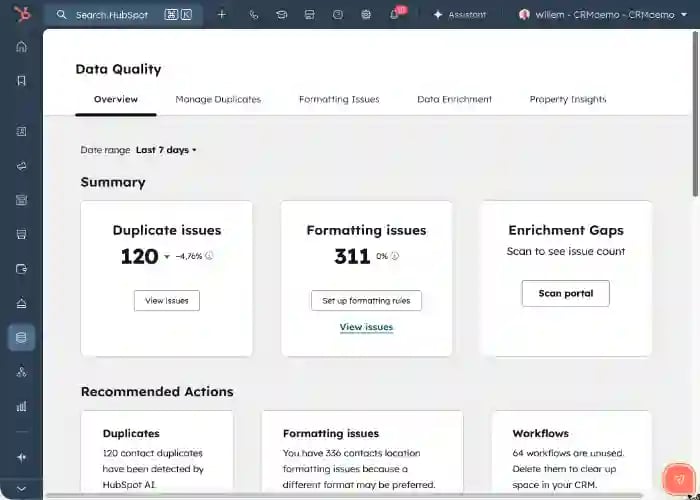
Screenshot of HubSpot's data quality overview

Professional+

Data Quality: keep records usable at scale

Clean data isn't about perfection. It's about trust.

Data Hub helps you protect trust in your CRM with:

  • Visibility into data health
  • Tools to fix issues at scale
  • Rules that prevent problems from reappearing

When the CRM is trustworthy, adoption improves—because people stop treating it like a suggestion.

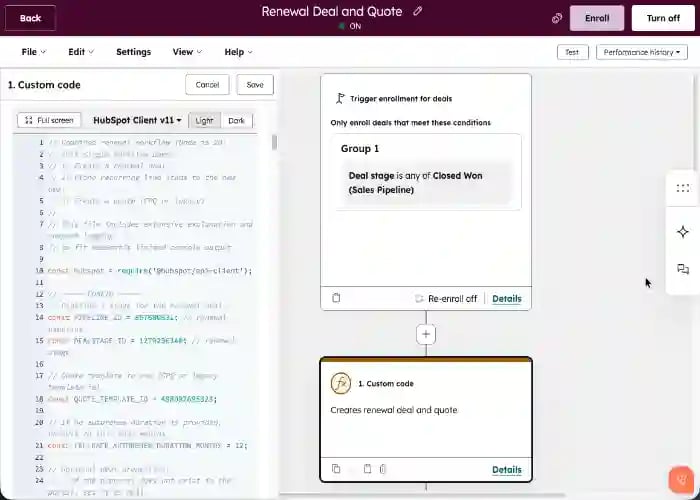
Screenshot of Data Hub's custom code workflow

Professional+

Programmable automation: when no-code isn't enough

Most teams get huge wins with no-code workflows. But sometimes the logic is unique: enrichment, validation, routing, scoring, complex renewals, or third-party APIs.

That's where custom code workflows come in—part of Data Hub's programmable automation toolkit.

Want examples? Here are two hands-on resources:

Used well, custom code workflows turn "we can't automate that" into "this runs every day without anyone thinking about it."

Choosing the right tier

Quick guide to Data Hub editions

Feature Free $0 Starter From $20/mo Most Popular Professional From $800/mo Enterprise From $2,000/mo
Best For
Use case Basic syncing Connecting key systems Data activation at scale Complex organizations
Data Sync
App integrations
Custom field mappings
Data Quality
Duplicate management
Data health dashboard
Automated data cleaning
Data Studio
Unified datasets
Warehouse connections
Advanced metrics
Automation
Custom code workflows
Programmable automation

A note on pricing

Data Hub pricing is typically driven by: how many systems you're connecting, how much data you're activating across HubSpot, and whether you need Professional/Enterprise capabilities like Data Studio and advanced datasets.

Some data features use a credit-based model for certain types of data activation, so the right approach is to map your use cases (not guess based on plan names).

What we help you build with Data Hub

If you want Data Hub to create leverage (not just "more settings"), we typically focus on:

A clear data model

Properties, definitions, naming, governance—the foundation everything else builds on.

A sync strategy

What lives where, what syncs, and why. No more guessing which system has the "real" data.

Data quality rules that prevent regression

Not just a one-time cleanup, but rules that keep data clean automatically.

Datasets that power segmentation and reporting

So decisions get easier, not harder, as your data grows.

Automations with compound impact

Routing, enrichment, lifecycle hygiene—a small set of workflows that multiply your team's capacity.

Programmable automation where it adds real value

Custom code workflows when no-code isn't enough—built right the first time.

Next steps

If you're considering Data Hub, start by identifying where data breaks today—then map the smallest set of changes that creates trust.

If you already have Data Hub but it feels underused, we'll design the sync, quality rules, and workflows that turn it into a reliable operating system.

Start with the foundation.
Then let automation, AI, and reporting do what they're supposed to do.